How to create a resource (attraction)
Updated Thu Jun 04 2026 00:00:00 GMT+0000 (Coordinated Universal Time)
A resource is a physical attraction at your park (for example a cable, aqua park, or ropes course). You need the Admin role.
Create a resource
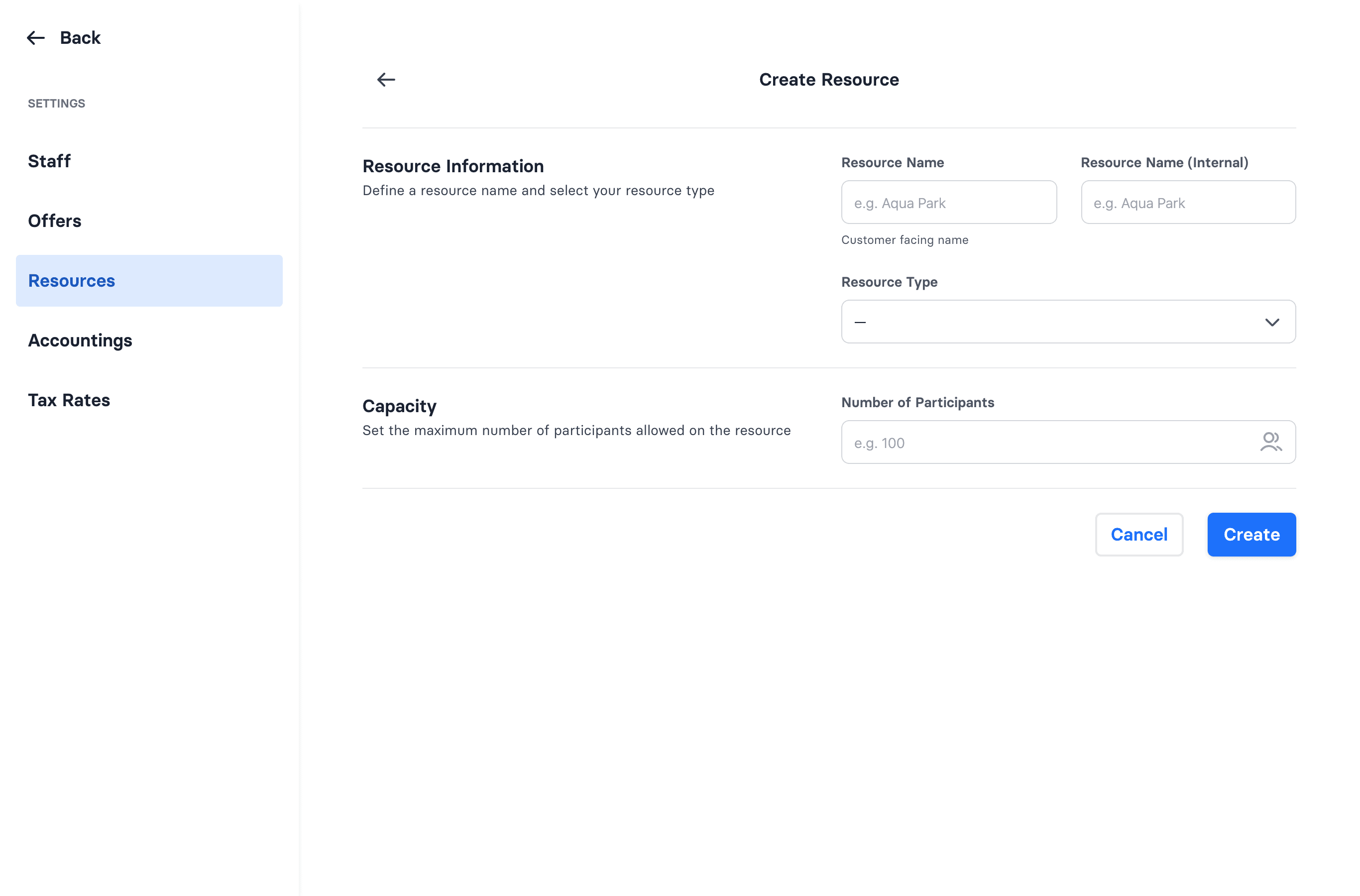
- Go to Admin → Settings → Resources → Create.
- Enter a Resource Name (customer-facing) and a Resource Name (Internal).
- Pick a Resource Type — one of: Aqua Park, Full Size Cable, Two Tower Cable, Ropes Course, Trampoline Park, Indoor Playground, Escape Room, Climbing Gym, Fishing Lake.
- Set the capacity (number of participants).
- Save.
Deactivating a resource
You can deactivate a resource from its edit screen — but only if no active offers are attached to it. If the deactivate switch is greyed out, detach or remove the linked offers first.
Once you have a resource, build a bookable offer on top of it — see How to create an offer.