How to register a child (guardian and waiver)
Updated Thu Aug 20 2026 00:00:00 GMT+0000 (Coordinated Universal Time)
A child can't book or hold a ticket on their own — they're registered under an adult guardian, and the guardian signs the child's waiver. This article covers registering a child during online booking (while assigning tickets).
Adding a child to a visitor who already registered on-site? That's a different flow — see How a visitor adds their children after registering.
How it works (online booking)
- When assigning a ticket, choose Child.
- If the guardian hasn't entered their own details yet, they do that first (a child must be registered to a parent or guardian).
- Enter the child's details — name, gender, and date of birth (no email or phone needed).
- Indicate the relationship — Own child or Not my child (e.g. registering on behalf of someone).
- The guardian signs the child's waiver.
"Not my child" asks for confirmation
Choosing Not my child opens a Confirm legal guardianship dialog before anything is entered. It states that only someone with legal guardianship or parental authority — a parent, legal guardian, foster parent, or court-appointed guardian — should continue, and warns that signing for a minor without that authority may invalidate the waiver and create legal liability.
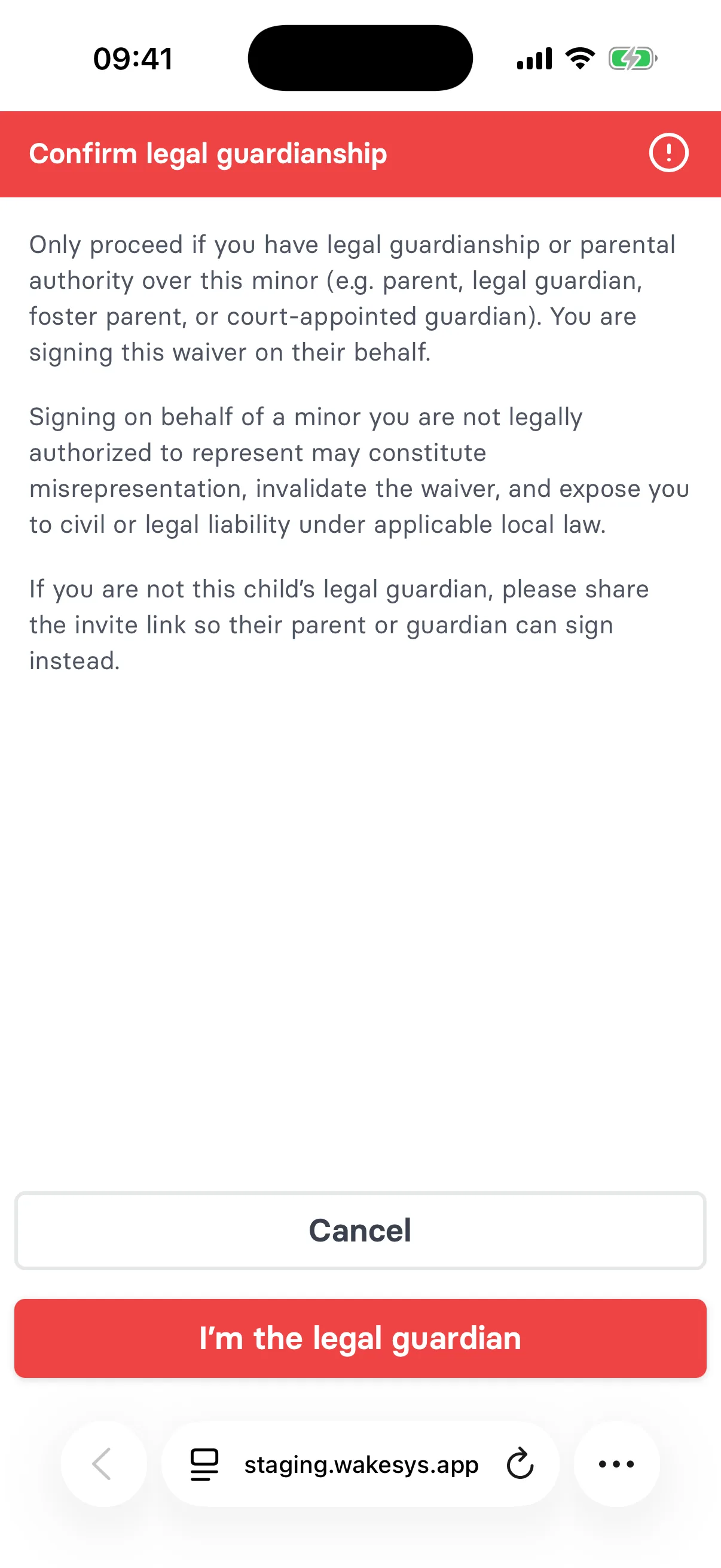
The two options are Cancel and I'm the legal guardian. Cancel goes back to the invite-link view, so the link can be sent to the child's actual guardian instead — usually the right answer.
Choosing Own child never shows this dialog.
The booking owner
The booking owner is always an adult (at least the park's legal age). If someone under that age tries to book, they're prompted that a parent or guardian must complete the booking and add them as a participant.