How waivers (Release of Liability) work
Updated Thu Aug 20 2026 00:00:00 GMT+0000 (Coordinated Universal Time)
The waiver is your park's Release of Liability — the same document, two names. Participants sign it electronically before taking part.
When it's signed
A participant signs the waiver after a ticket is assigned to them. This can happen:
- Online, as part of assigning their ticket, or
- On-site, on the signing tablet or at the registration kiosk.
If a participant already has a valid signed waiver, they don't sign again.
Consenting to sign electronically
Signing is a single checkbox: "I have read and agree to the Release of Liability, and I consent to signing this document electronically."
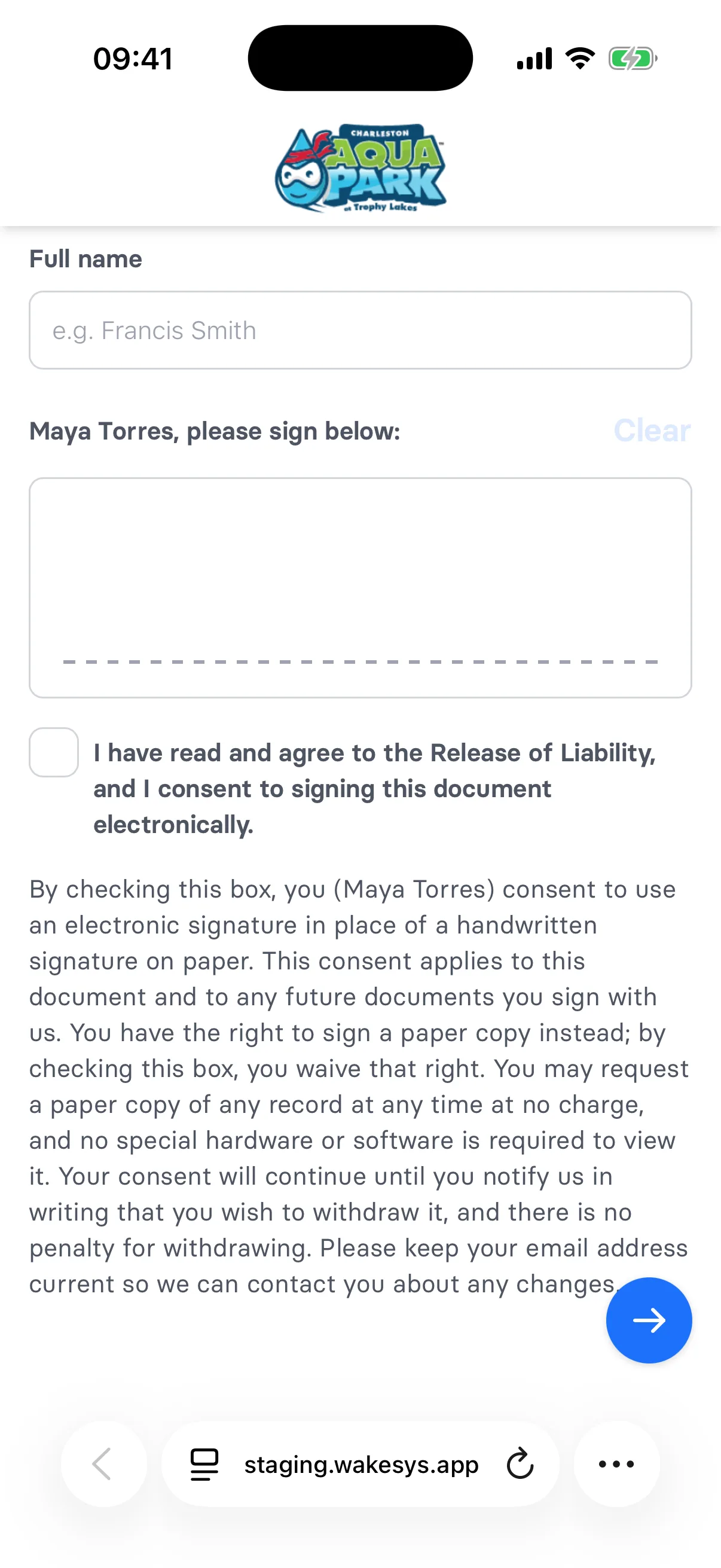
The text below it explains the participant's rights in plain English: they may sign a paper copy instead, may request a paper copy later at no charge, and may withdraw consent in writing at any time without penalty. The consent covers this document and future ones.
The signed PDF records the consent with a line naming the signer and the date — "Electronic signature consent: … consented to sign electronically, in lieu of a handwritten signature, on …". This wording is written to satisfy US electronic-signature law, so it's the same for every park.
Who signs
- Adults sign for themselves.
- For a child, the guardian signs on the child's behalf.
Anyone signing for a child who isn't theirs first has to pass a Confirm legal guardianship step — see How to register a child.
Address prefill
If the person signing has no address on file but a family member does, the address fields start prefilled from that family member — a child signed up by a parent, or a partner added to an account. It's an editable default, so it can be corrected before signing. Only family relations prefill; a friend's address never does.
Where to find signed waivers
In the POS, open a customer's profile and go to the Waivers tab. You'll see each waiver with its signed date and a link to the PDF. The customer overview also shows whether compliance is complete.
Check-in depends on the waiver
If your park requires a waiver, a participant can't be checked in until it's signed — the Check In button stays disabled. See How to check participants in.