Recommended hardware for your park
Updated Tue Aug 25 2026 00:00:00 GMT+0000 (Coordinated Universal Time)
wakesys runs in the browser on standard iPads — there's no special hardware to buy and nothing to install from the App Store (you add it to the Home Screen as an app). Here's the setup we recommend and use ourselves.
Set this up well ahead of opening day — not the day of. Each Bouncepad mount takes about 45–60 minutes to assemble properly, and configuring the iPads (sign-in, Add to Home Screen, Guided Access) takes time on top of that. Give yourself a comfortable buffer so you're not assembling stands when guests are arriving.
Cash register (point of sale)
A back-to-back dual stand lets one tablet face your cashier and a second face the customer (the 2nd screen), so guests can follow along and confirm their order.
- Stand: Bouncepad Universal Dual Tablet Stand — holds two tablets, one each side.
- Staff tablet: a 13" iPad Air. It only runs the POS in a browser, so a refurbished unit 2–3 generations old works perfectly and saves money.
- Customer-facing screen: a regular iPad, current generation (often around $299) — plenty for the 2nd screen.
Don't use an iPad mini for the customer-facing screen. The text is too small to read comfortably, and in a dispute it gives a customer (or their lawyer) room to argue they couldn't read what they were agreeing to. Use a full-size iPad.
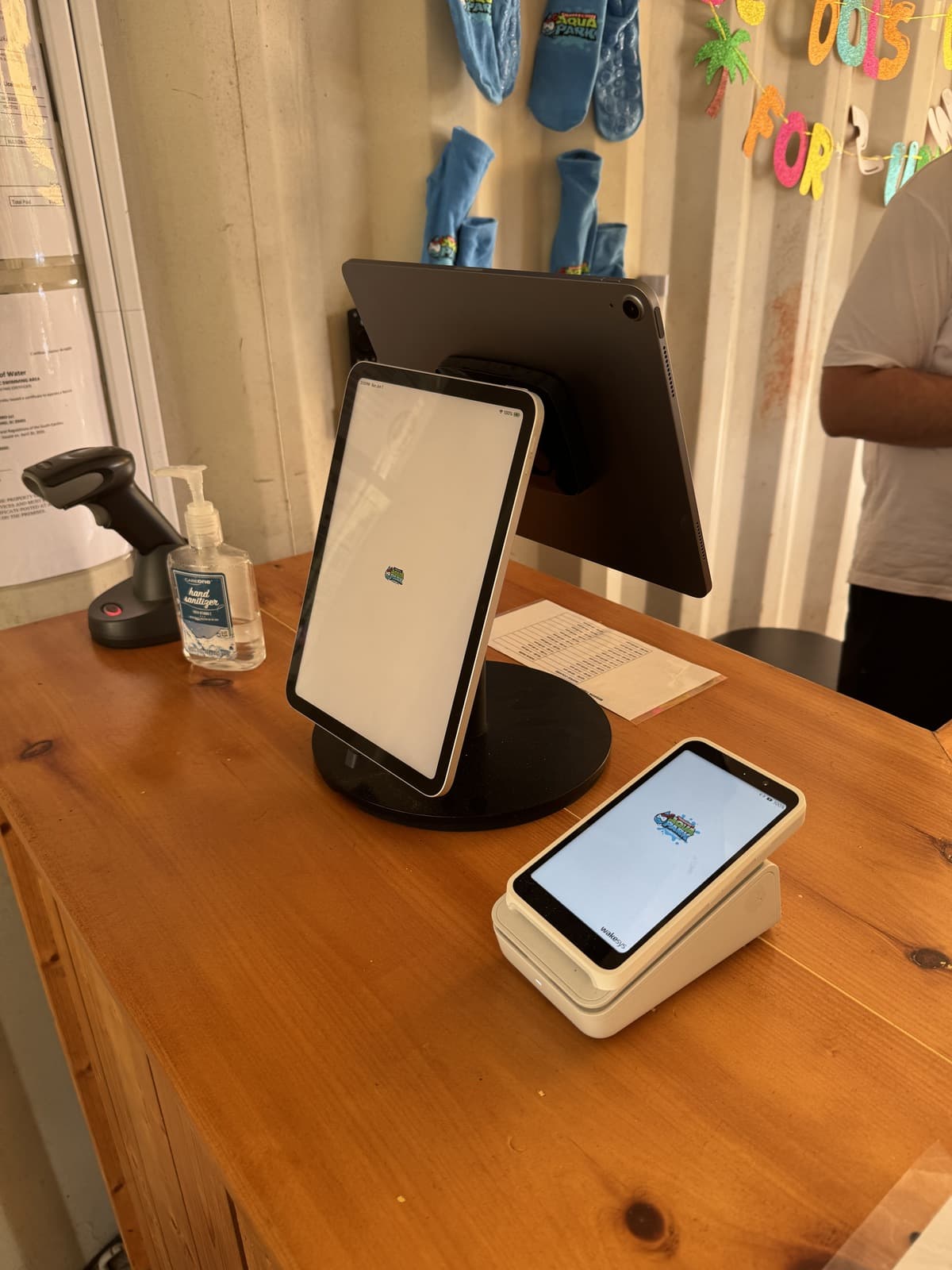
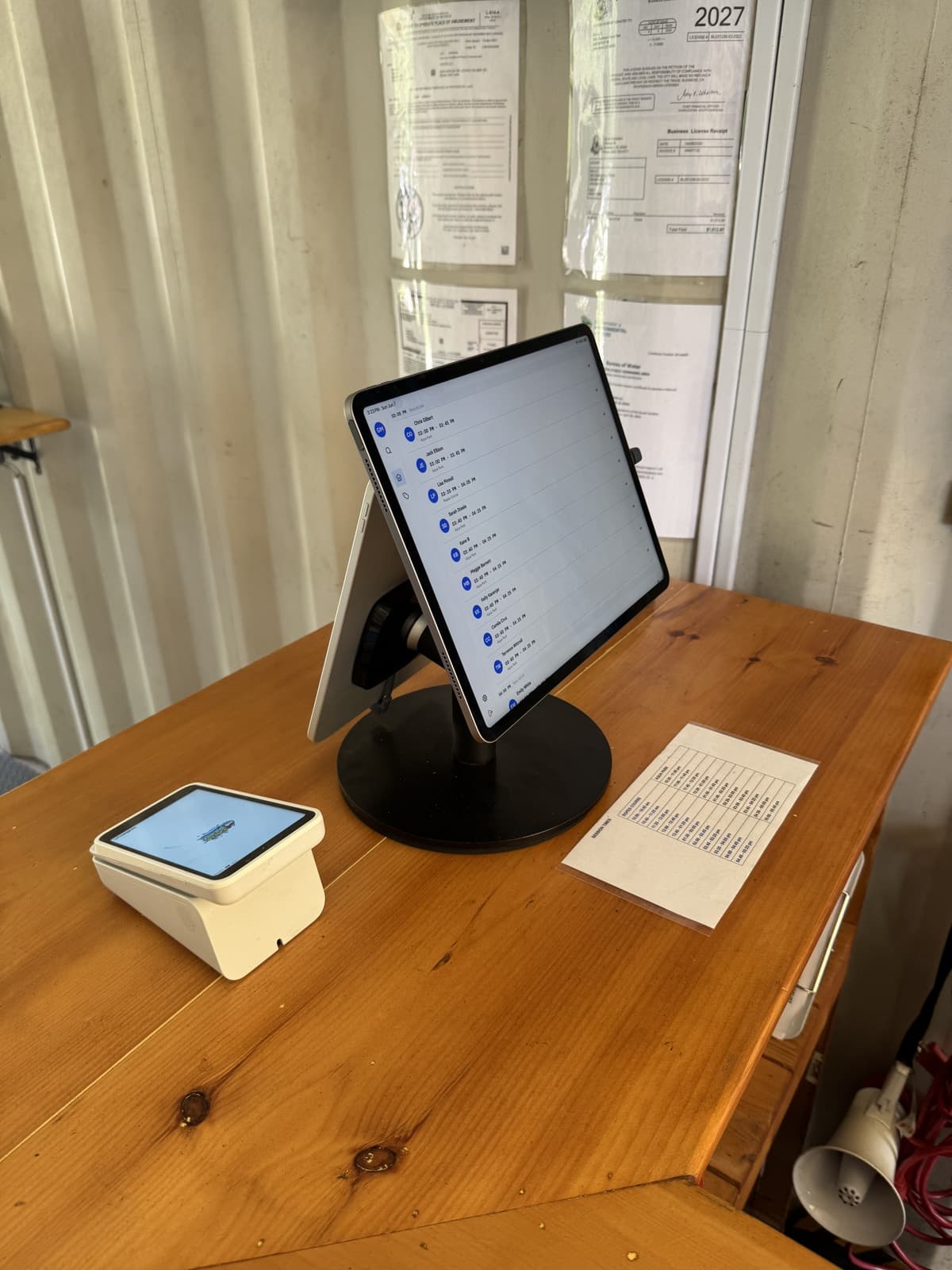
Alongside the stand you'll also want your card payment terminal (below) and a barcode scanner if you scan passes or wristbands.
Card payment terminal
wakesys works with the Stripe Reader S700 and the Stripe Reader S710 — and no other reader. Before you order anything from Stripe's device page, read this section. Buying the wrong model is the single most expensive mistake we see parks make at setup.
We recommend the Stripe Reader S700 (or the S710, which adds cellular). It's a standalone Wi-Fi reader — it sits next to the till on its own, so it doesn't take up a tablet slot in the stand and the cashier never has to hand a device across the counter.
- Reader: Stripe Reader S700 or S710. These are the only two models wakesys supports.
- Optional: the matching charging dock, so the reader is always ready at opening.
- Connection: Wi-Fi. Make sure your network reaches the till reliably — a dropped connection is the most common cause of failed payments.
What is not compatible
wakesys sends the payment to the reader over the internet, from your Stripe account — the reader takes the card on its own, without being paired to the iPad. That rules out every reader that needs to be tethered to a phone or tablet:
- Stripe Reader M2 — Bluetooth mobile reader, needs a phone app. Not compatible.
- Tap to Pay on iPhone / Tap to Pay on Android — no reader at all, the phone takes the card. Not compatible.
- BBPOS WisePad 3, Verifone V660p — mobile readers. Not compatible.
And these are readers we simply don't support — don't buy them for wakesys even though Stripe sells them:
- Stripe Reader T600, BBPOS WisePOS E, Verifone UX700 / M425 / P630.
If you already own one of these, contact us before you plan your till around it.
Once your S700 or S710 is registered in your own Stripe account, wakesys links it to your point of sale and Terminal appears as a payment method at checkout — see How to set up your Stripe card reader.
Buy a spare if you can. A park with one reader has no way to take card payments at the till if it fails on a busy Saturday. A second registered reader is cheap insurance.
Waiver / on-site registration station
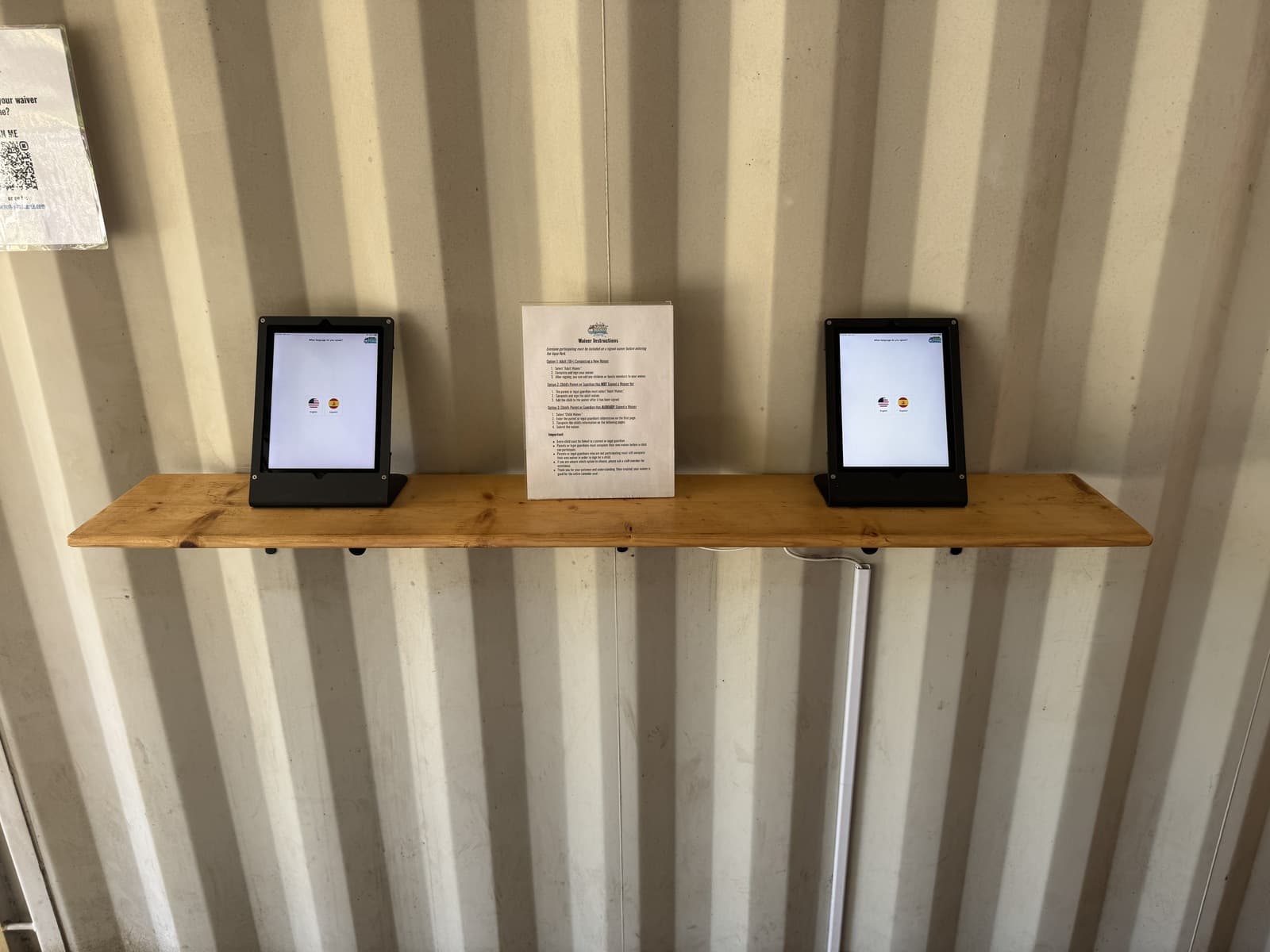
For self-service waiver signing and on-site sign-up, set up one or more single tablet stands that guests walk up to. Placing two or three side by side keeps the line moving on busy days.
- Stand: Bouncepad Universal Tablet Stand — single tablet.
- Tablet: a regular iPad works well here too.
Setup tips
- wakesys is a web app you open in Safari and Add to Home Screen so it runs full-screen — see How to set up wakesys on your iPads.
- For self-service stations (waivers, on-site sign-up), lock the iPad to the wakesys screen with iOS Guided Access so guests can't browse away.
- Keep devices plugged into power at the desk during busy sessions.
- A short printed instructions card next to each waiver tablet (and a "What language do you speak?" prompt) helps guests start on their own.
- Buy at least one Bouncepad Adhesive Replacement Kit. Getting an iPad perfectly centered in the mount can be tricky — this lets you peel the double-sided adhesive back off to reposition it, and gives you a spare sticker.