How customers book online
Updated Thu Aug 20 2026 00:00:00 GMT+0000 (Coordinated Universal Time)
Here's the flow a customer goes through on your online booking site.
- Pick an offer. Only active offers with an upcoming time slot are shown.
- Enter email (to speed up checkout) or continue as a guest. The step explains why it helps — "Skip forms if you've booked before" — so returning customers are nudged to use the address they booked with last time.
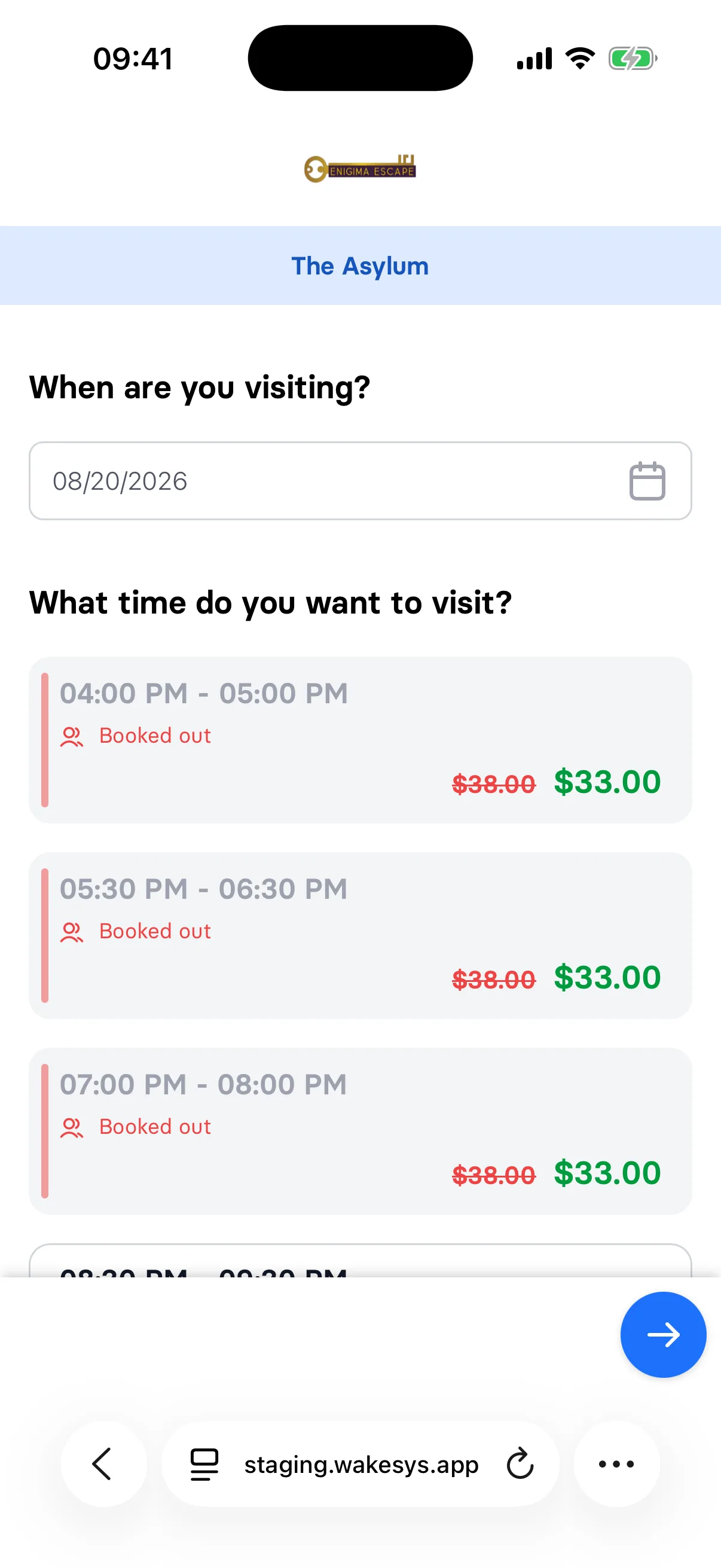
- Choose a date and time slot(s), selecting how many seats. Availability updates live ("almost booked out", "booked out").
- Add-ons — if the product has extras, choose any.
- Details & consent — guests enter their contact details and accept the legal documents. The booking owner must be at least the park's legal age.
- Pay by card (Stripe).
- Confirmation — a confirmation page and email, with a link to assign tickets.
What customers see on the time-slot list
Several labels come straight from the offer's booking rules:
Min. 4 | 12 left— the offer has a minimum group size. The + button jumps from 0 straight to the minimum.Booked out— either the slot is genuinely full, or the offer uses Exclusive Booking and somebody has already taken the slot.(already started)in amber — a slot running right now, still bookable because the offer allows in-progress bookings.
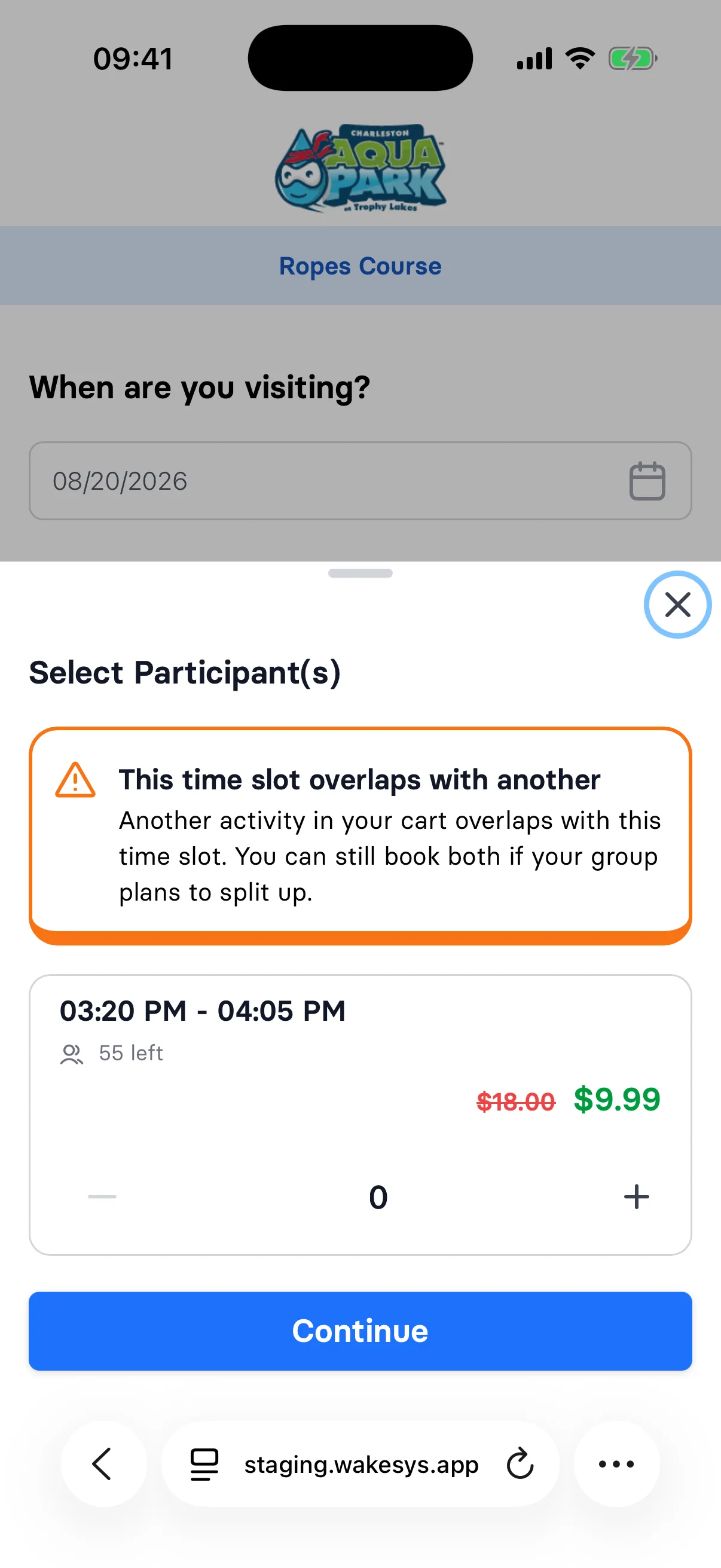
If the customer already has something in their cart at the same time from a different activity, an amber notice appears: "This time slot overlaps with another — Another activity in your cart overlaps with this time slot. You can still book both if your group plans to split up." It's a warning, not a block, and it never fires for two slots of the same activity.
If somebody else books the last seat while the customer is checking out, they'll see "This time slot has just been booked by somebody else. Please select another one."
After booking
The customer assigns each ticket to a person and everyone signs the waiver before arriving — see How a customer claims their tickets.
Notes
- The confirmation email tells customers how early to arrive — that number comes from the offer's Arrive Early setting, and disappears if it's set to 0.
- An in-progress order expires after 15 minutes; if payment isn't completed it's released (and refunded if it had been charged).
- If an offer isn't appearing online, check that it's active and has an Open upcoming slot.