How wakesys fits together — the parts of your park system
Updated Fri Jun 26 2026 00:00:00 GMT+0000 (Coordinated Universal Time)
Before you dive into the step-by-step guides, it helps to see how the pieces fit together. wakesys is one system made of a few connected parts — each used in a different place by different people.
The five parts
- Admin — your back office, at
https://wakesys.app/PARKNAME/admin. This is where you configure and review the park: schedules, staff, offers, resources, tax and accountings, finance reports, and receipts. You'll spend most of your setup time here. - Point of Sale (POS) — the cash register your staff use at the desk: selling tickets, checking guests in, assigning tickets to people, refunds, and looking up customers. You can have more than one register.
- Tablet (signing pad) — a customer-facing iPad paired to a register. It shows your logo and displays a waiver when a cashier sends one over for a guest to sign.
- On-site registration kiosk — a self-service iPad where guests register themselves (choose a language, enter their details, accept the legal documents, sign the waiver) before coming to the desk.
- Online booking — your public website at
https://wakesys.app/PARKNAME/booking, where customers browse offers, book a time slot, and pay by card — 24/7, without staff.
Replace
PARKNAMEin any address with your park's short name — for examplecharlestonaquapark.
Everything starts from the Admin overview
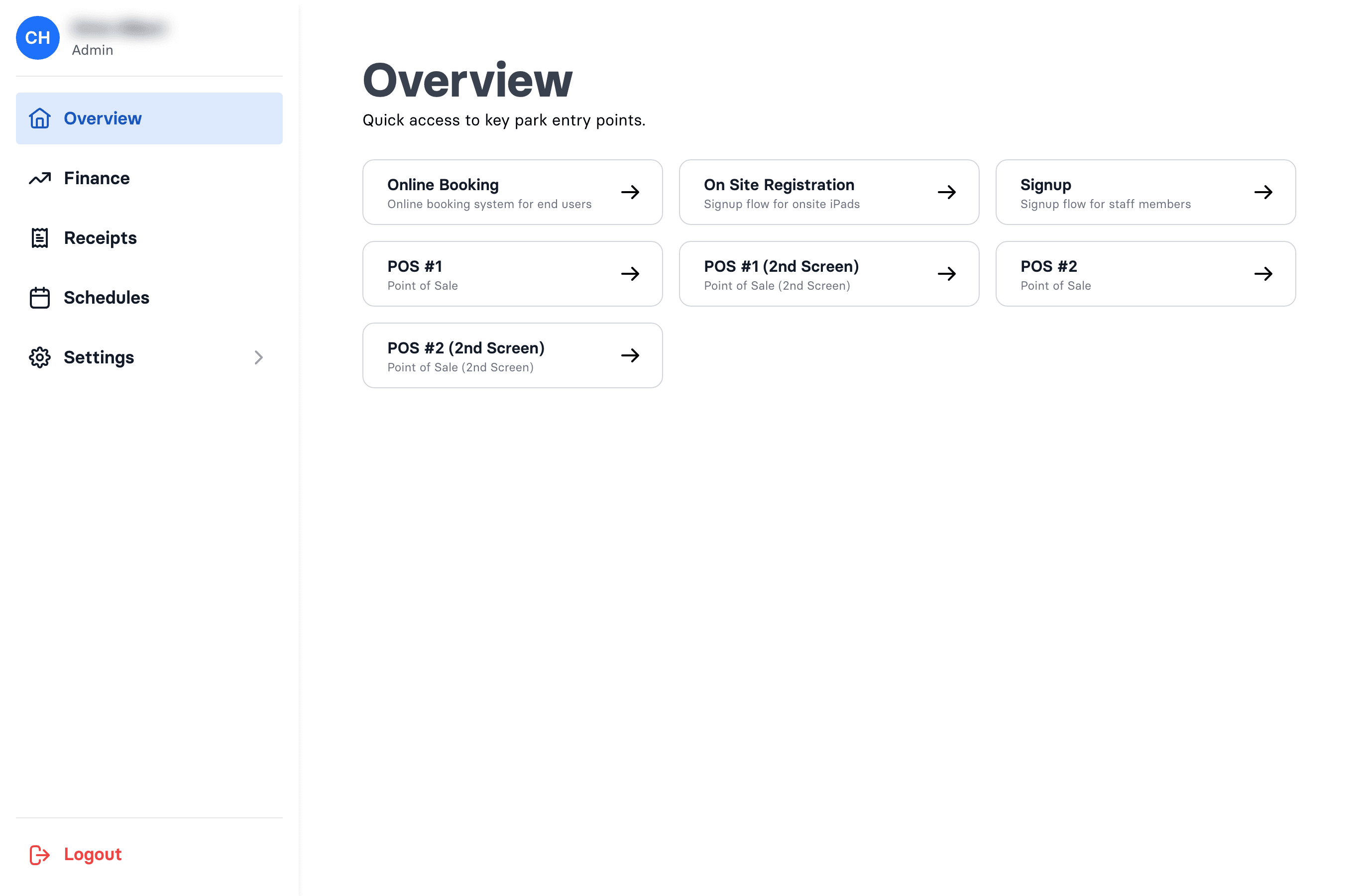
When you log in to Admin, the Overview page gives you Quick Links — one card for each entry point above: Online Booking, On Site Registration, Signup (the staff sign-up link), and a card for each Point of Sale and its 2nd Screen (the tablet). That's where you grab the right address to open on an iPad or to share with customers.
What wakesys sets up vs. what you control
A few foundational things are configured for you by wakesys, so you won't find buttons for them:
- Your park details (name, logo, currency, timezone, legal age)
- Your products, prices and discount rules
- Your time slots (you open, close, and resize them — but wakesys creates them)
- Your legal documents and waiver
Everything else is yours to run: opening and closing schedule slots, staff and roles, offers, resources, tax and accountings, and day-to-day sales. If something in the first list needs to change, email support@wakesys.com.
Who can do what
There are just two staff roles, and a person can have one or both:
- Admin — full access, including settings and finance.
- Cashier — the cash register, customer search, and schedules.
More detail in Staff roles explained.
Where to go next
- New park? Follow the getting started checklist end to end.
- Set up wakesys on your iPads
- Sell a ticket at the cash register
- Share and test your online booking